

Explore Flight Routes Worldwide
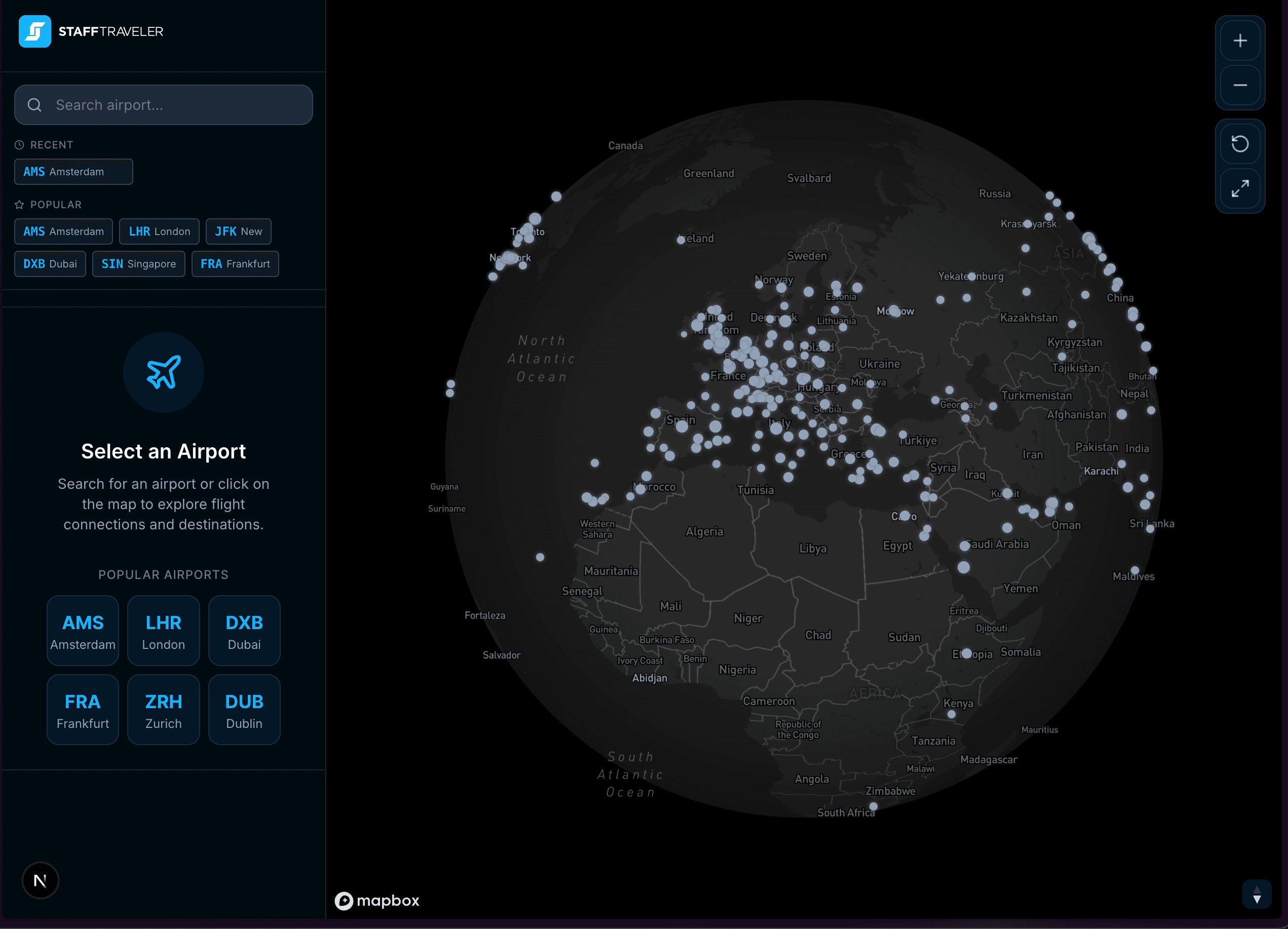
Discover direct flights from any airport. Visualize routes on an interactive map, apply advanced filters, and find your next destination.
Popular Airports
Everything You Need to Plan Your Flight
From worldwide route discovery to the seatmap of the aircraft you'll actually be flying — free to start.
Interactive Route Map
Visualize every direct route from any airport as great-circle arcs, and switch between a 3D globe and a flat 2D map.
Aircraft Seatmaps
See the real cabin layout of the aircraft operating your flight — decks, cabins and seat classes — for most major airlines, with the right configuration matched to your flight automatically.
Connections Search
Search any origin to any destination with up to two stops. Swap the route in one click, filter by airline, and narrow by departure time window.
Flight Number Search
Look up a specific flight like KL605 and see its full schedule across dates, including every leg, aircraft type and timings.
Departures & Arrivals
Departure and arrival boards for any airport, filterable by airline, with gates, times and flight status.
Smart Filters
Narrow routes by airline, alliance, aircraft body type, distance, duration and seasonal service — or by specific travel dates and days of the week.
Airport & City Search
Find any airport by IATA code, name or city. Multi-airport cities like London or New York group together in a single result.
Route Details & Insights
Open any route for operating airlines, weekly frequency, duration, distance and aircraft types — plus destination weather, local time, indicative fares and travel deals.
Non-Rev Travel Tools
Sign in with StaffTraveler to highlight routes operated by airlines you have non-rev agreements with, and filter searches down to just those airlines.
Support
Frequently asked questions and how to get help
Is Route Explorer free to use?
Exploring routes and searching connections and flights is free, on the website and in the app. Live flight boards, live flight status, flight alerts, seatmaps, interline connections, and custom connection-time and nearby-airport settings are part of Route Explorer Pro. Log in with a StaffTraveler account to add non-rev airline filtering.
What does the Explore tab do?
The Explore tab is your starting point. Search for any airport by IATA code, name, or city. Once selected, all direct routes from that airport appear on the interactive map. You can click any destination to see detailed route information including airlines, schedules, aircraft types, and flight frequency.
What does the Connections tab do?
The Connections tab lets you search for flights between two specific airports. Set your origin, destination, and travel date to find available connections. Advanced options include filtering by number of stops, departure and arrival time windows, nearby airports, minimum connection time, and whether to include interline or cargo-only flights.
What does the Flight tab do?
The Flight tab lets you look up a specific flight by airline code and flight number (e.g., KL 644). Enter the airline code, flight number, and date to see the full schedule including departure and arrival times, aircraft type, and route details.
What filters are available?
When you select an airport in the Explore tab, you can filter routes by travel date, airline, alliance (Star Alliance, OneWorld, SkyTeam), aircraft type (wide-body, narrow-body, regional), and distance range. Active filters show as chips above the results so you can easily remove them.
What is the FIDS board?
FIDS stands for Flight Information Display System — the real-time departure and arrival boards you see at airports. When you have an airport selected, tap the Departures or Arrivals buttons to see a live board with flight statuses, gate info, and times. You can filter the board by airline.
Can I see the seatmap for my flight?
Yes. Wherever a flight appears — in the Explore, Connections, or Flight tabs — tap Seatmap to see the actual cabin layout of the aircraft operating it, including each deck, the cabin classes on board, and the seat arrangement. Seatmaps are available for most major airlines.
Why does an airline have several seatmaps for the same aircraft?
Airlines often fly the same aircraft type in different cabin configurations — a long-haul Boeing 787 may have far more business class seats than a regional one. Route Explorer matches the configuration to your specific flight's seat count where it can, and otherwise lets you choose from the available layouts with the closest match highlighted.
What are non-rev airline filters?
If you log in with your StaffTraveler account, Route Explorer can filter routes to only show airlines you have interline agreements with — making it easy to plan non-rev travel. This works in both the Explore tab (route filtering) and the Connections tab (server-side flight filtering).
Can I switch between globe and flat map?
Yes! Use the globe/map toggle button in the bottom-right controls to switch between a 3D globe view and a flat 2D map. The globe view is great for visualizing long-haul routes, while the flat map is better for regional exploration. You can also press G on your keyboard.
What information is shown for each route?
When you select a destination, the right panel shows distance, flight duration, operating airlines with logos, aircraft types used, flight frequency, and a weekly schedule. The Good to Know section shows local weather, time difference, and travel deals at the destination.
How often is the route data updated?
Route data is updated weekly from official airline schedules, so you always see current routes and frequencies. Real-time flight information on the FIDS board refreshes every few minutes from live airport data.
Do I need a StaffTraveler account?
No. You can explore routes, search connections and flights, and use most filters without an account. Log in with your StaffTraveler account to filter routes to the airlines you can non-rev with. To get Route Explorer Pro, log in with StaffTraveler or sign in with a Route Explorer account.
Still need help? Reach out to us at info@stafftraveler.com
Send Us Feedback
Help us improve Route Explorer. Report bugs, request features, or just say hello.